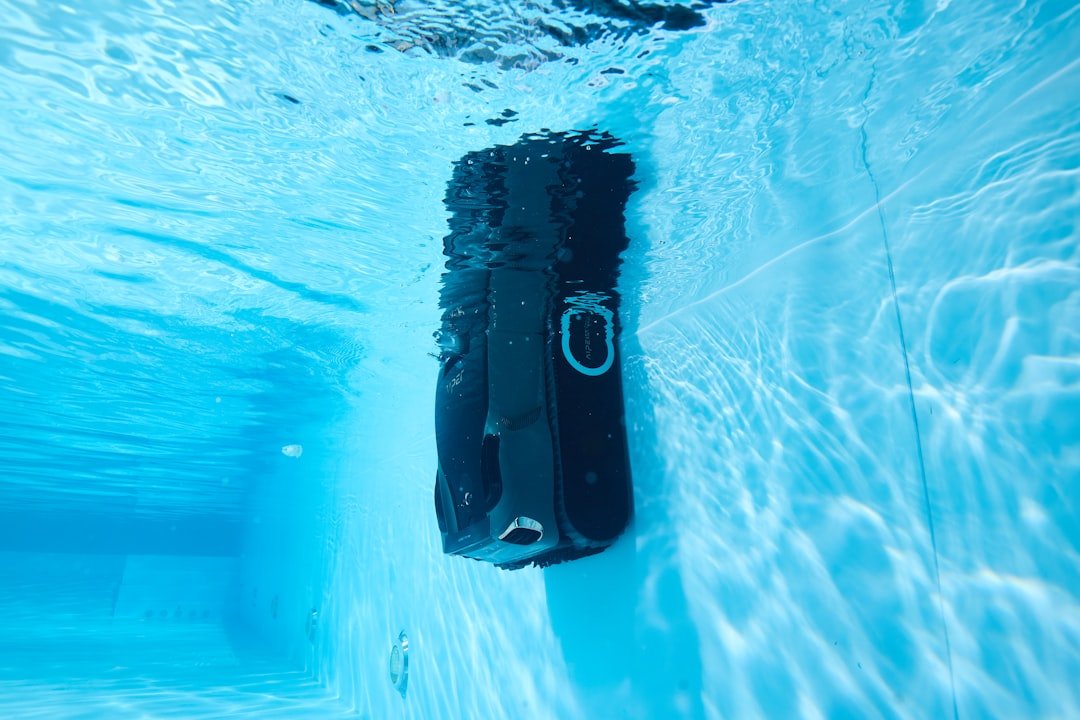
You can capture stunning underwater footage without spending thousands of dollars. The key to learning how to shoot underwater video on a budget is choosing the right entry-level camera, understanding essential settings, and mastering composition over chasing expensive equipment. Most recreational divers aged 25–50 already own a smartphone or action camera—that’s often enough to start.
Quick Reference: Budget-Friendly Underwater Video Options
| Camera Type | Typical Price Range | Best For | Key Limitation |
|---|---|---|---|
| Action Camera (GoPro Hero 11 or similar) | $300–$450 | Fast action, travel weight | Limited zoom, small screen |
| Compact Camera with Housing (Olympus TG-7) | $400–$600 | Macro details, autofocus | Slower frame rate |
| Smartphone in Waterproof Case | $50–$150 | Learning, shallow dives | Depth rated to 30–50 feet usually |
| Used DSLR with Housing | $600–$1,200 | Serious hobbyists, stills | Bulky, requires maintenance |
Why Most Divers Overspend Before They Learn
I’ve been diving with underwater cameras for nearly a decade, and the pattern never changes. New divers assume expensive gear equals better results. They don’t.
You’d think professional cameras produce obviously superior footage—they usually don’t underwater. Why? Because a $400 action camera in steady hands at 40 feet captures video just as usable as a $3,000 setup in shaky hands. Lighting, stability, and composition matter far more than the camera body itself. I’ve seen so many divers buy premium equipment, fail to master basic stabilization, and end up with blurry clips nobody watches.
Starting small forces discipline. When you’re not distracted by menu options and lens adjustments, you focus on framing, movement, and telling a story. That’s where the real learning happens.
Essential Gear Checklist Before Your First Underwater Video Dive
- Underwater camera or smartphone in a tested waterproof housing rated for your maximum depth
- Underwater video light or learn to film in shallow, well-lit water first
- Neutral buoyancy or slight negative trim to reduce hand fatigue while holding the camera
- A stabilizing mount, handle, or dome port if your budget allows, though not mandatory to start
- Spare batteries stored in a dry bag—cold water drains them fast
- Backup storage card or cloud sync to prevent losing footage on the boat
- Anti-fog solution or defog insert for your housing; forgotten defog turns your lens opaque in seconds
How to Shoot Underwater Video on a Budget: Core Settings and Techniques
Condition: Shallow, Clear Water
Start in water between 15–40 feet where natural light still penetrates. Murky water, night dives, and deep drops demand advanced technique and lighting you don’t need yet.
Audience: Yourself and Fellow Divers
You’re learning. Your audience doesn’t expect theatrical production value—they expect steady footage of what they’d have seen on their own dive.
Method: Stabilized, Slow Movements
Speed kills underwater video. A two-minute clip of slow coral pans, gentle fish approaches, and smooth backward swimming will look professional. Jump cuts, sudden pans, and shaky following shots look amateur. Slower always wins.
The Step-by-Step Process
- Set your frame rate to 30fps (frames per second) for smooth motion—24fps feels cinematic but requires precise lighting; 60fps creates slow-motion that eats storage and demands more light than budget gear provides.
- Lock your ISO as low as your lighting allows, typically between 100–400 in daylight shallow water; higher ISO = more grain and reduced detail.
- Zoom out to your widest angle unless you’re filming macro—wide angle forgives camera shake and captures context; telephoto zooming amplifies every tremor in your hand.
- Position yourself with the sun or bright water behind your subject whenever possible; frontlit subjects show more color and texture than backlit silhouettes.
- Film 10–15 second clips instead of long rambling sequences; short takes are easier to edit and give you multiple angles of the same scene.
- Move your camera at half the speed you think is natural—your eyes process movement faster than a small sensor does.
This is where most divers give up: editing. You’ve got 40 minutes of raw footage and a 10-minute attention span for reviewing it. Watch everything once, mark the best 60 seconds of each scene, export that. Done. Professional editing is a separate skill—master shooting first.
Understanding How to Shoot Underwater Video on a Budget Without Sacrificing Color
Red wavelengths disappear first underwater. At 20 feet, reds become gray. This isn’t a camera problem—it’s physics.
Most divers on a budget skip lighting entirely and accept this loss. That’s honest and fine for learning. Your options after that: use natural light in shallower water where reds still exist, invest in a budget underwater light (typically $100–$300), or embrace the blue-green color palette as your style. I’ve been filming with a basic LED torch in the $150 range for three years now, and it transforms everything from 30 feet down. You don’t need a $1,500 light.
Never buy a light that doesn’t pair with your camera housing. Mounting mismatches waste money. Test the combination in a bathtub first.
My Picks for This
- GoPro Hero 11 Black Most reliable entry camera for action scenes, excellent stabilization, and a massive user community sharing tutorials specific to underwater settings.
- Olympus TG-7 Built-in macro capability and autofocus without housing complexity, perfect for close-up coral and small fish work on budget underwater video projects.
- SeaLife SL952 Underwater Light Affordable LED that mounts easily to most action camera housings and restores red tones down to 80 feet without premium pricing.
- Smallrig Underwater Handle Reduces hand tremor significantly for under $50, compatible with most housings, and saves your wrist after 30 minutes of holding a camera.
- Aquatech Armor Underwater Smartphone Housing Tests to 100 feet, works with most modern phones, and costs less than upgrading to a dedicated underwater camera body.
Frequently Asked Questions (FAQ)
Q1. How much does it realistically cost to shoot underwater video on a budget?
Entry-level starts around $150–$300 if you use a smartphone housing and skip the light. Semi-serious starts around $400–$700 with an action camera and basic mount. Add a light and you’re in the $600–$1,000 range. After that, diminishing returns kick in hard.
Q2. Do I actually need an underwater light to shoot on a budget?
No. Film in shallow, sunny water first. A light becomes essential once you dive deeper than 30 feet or explore darker sites. Start without one and upgrade later when you understand what you’re missing.
Q3. Can I use my smartphone instead of buying a camera?
Yes, if you stay shallow and your housing is reliable. Most smartphone housings rate to 30–50 feet, which covers the majority of tropical resort dives. Your phone likely has better autofocus than older action cameras, which is actually an advantage underwater.
Q4. What happens if I skip the stabilizer or handle?
Your footage will look shaky, especially on playback. Underwater, even slight hand tremor translates to visible wobble. A $40–$60 handle pays for itself in usable footage—your first edit will prove it.
Q5. Should I buy used or refurbished underwater gear?
Used housings worry me more than used cameras. A housing that’s taken on saltwater leaks or pressure damage isn’t worth the savings. Buy refurbished cameras from official retailers; skip sketchy third-party housings from marketplace sellers.
Q6. Can I learn how to shoot underwater video on a budget without dive training certification?
Certification first, always. Your dive training teaches buoyancy control, which is fundamental to stable footage. You can’t hold a camera steady if you’re fighting to stay level.
This post is for informational purposes only and does not constitute professional diving instruction, medical advice, or travel guidance. Scuba diving involves inherent risks — always train with a certified instructor and consult a physician before diving. Prices, product specs, dive site conditions, operator schedules, and entry requirements are subject to change without notice. Always verify current details directly with manufacturers, retailers, dive operators, and local authorities. This site may contain affiliate links — purchases made through our links may earn us a commission at no extra cost to you.