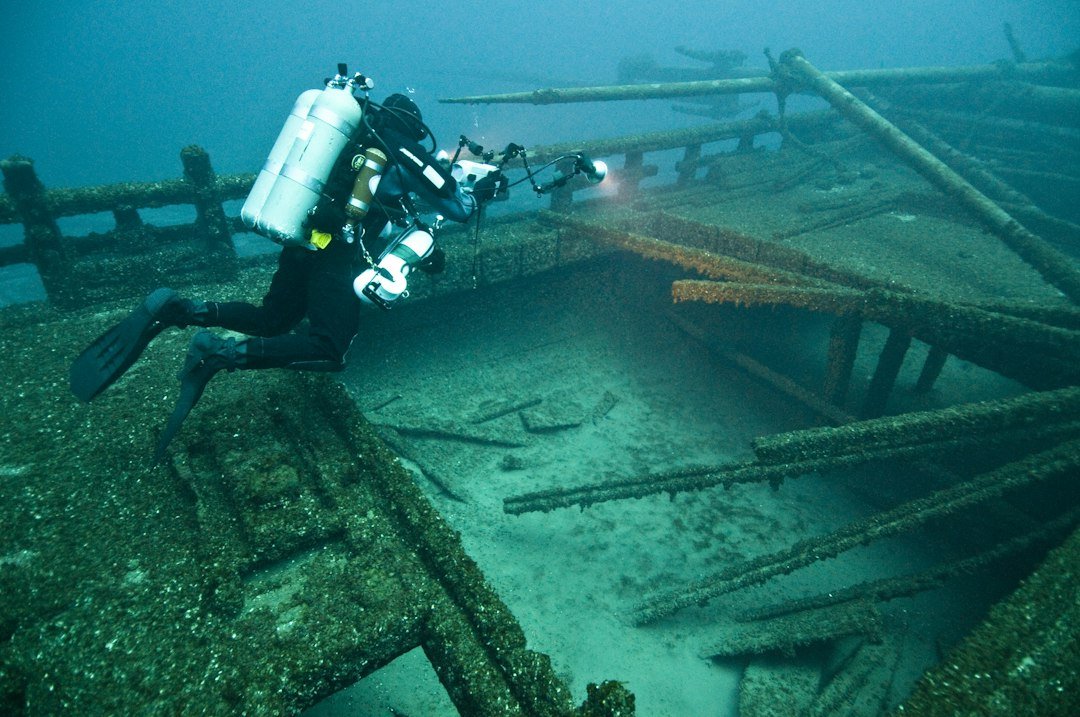
The best dive computer for technical diving is the one that matches the gases, decompression model, screen, and failure plan you were trained to use when you are on a wet dock checking a twinset before a deep wreck dive. There is no single winner. A large color screen is nice, but it will not fix a confusing gas-switch setup or a computer that becomes unreadable once your mask is slightly fogged.
For most technical divers, the purchase decision comes down to multi-gas support, decompression settings, open-circuit or CCR capability, physical controls, battery strategy, and how the unit fits into a proper redundant-instrument plan. Training comes first. A computer is an information tool, not a substitute for certified technical-diving instruction, gas planning, or a written contingency plan.
How to choose the best dive computer for technical diving
Start with the diving you genuinely expect to do in the next couple of years, rather than buying solely for an imaginary expedition profile. Keep it realistic. A diver planning air or nitrox now, then normoxic trimix with staged decompression later, needs a different unit than someone who will remain within recreational no-decompression limits and simply wants a larger display.
Technical-capable computers usually cost more because they add configurable decompression algorithms, multiple gas entries, better displays, stronger housings, and sometimes closed-circuit rebreather modes. That cost adds up. The expensive model is only good value if you will use its relevant modes and can operate it confidently under task loading.
Read the current manufacturer manual before buying, especially the sections on gas limits, algorithm configuration, ascent warnings, logging, battery replacement, and mode changes. Manuals matter. Product pages often summarize capabilities, while the manual reveals restrictions that affect actual dive planning, such as whether settings can be locked, whether a mode needs to be changed at the surface, or how the unit handles a missed gas switch.
Multi-gas support that actually fits the plan
Multi-gas support means the computer can store more than one breathing gas and calculate the decompression consequences when you switch between them during the dive. That is the core requirement. A typical open-circuit technical plan may include a bottom gas, a travel gas, and one or two decompression gases, although the exact plan depends on training, depth, exposure, and team procedures.
The headline number of programmable gases is useful, but it is not the whole story. Check the details. A computer that accepts five gases may be plenty for many staged-decompression dives, while a unit with ten entries is not automatically easier or safer if its switch screen is cluttered and the confirmation process is unclear in gloves.
Look closely at how the computer presents switch prompts and how you confirm the selected gas. At a gas switch, you want to see the planned gas clearly, verify the cylinder yourself, confirm the correct regulator is in use, and then make the computer change without several ambiguous button presses. Slow is smooth. The computer should support your trained verification sequence rather than encourage a rushed tap on the nearest button.
Also check whether each gas can have a defined maximum operating depth and whether the unit alerts you when a selected gas is outside its intended depth range. Such alerts are a useful cross-check. They do not replace analyzing cylinders, labeling them properly, confirming the actual contents, or following the procedures taught by your instructor.
For divers considering rebreathers, multi-gas support has another layer: the computer may need a fixed setpoint mode, a configurable setpoint schedule, bailout gas entries, and a display that makes the active mode unmistakable. This is specialized territory. Confirm compatibility with your unit and follow the computer and rebreather manufacturer guidance before using any integrated or CCR-specific function.
Choose an algorithm you can understand
Most current technical computers use a Bühlmann-based decompression algorithm with adjustable gradient factors, though the exact implementation and available settings differ by model. Know your settings. Gradient factors allow trained divers to shape conservatism, but they are not a magic safety dial that can be turned casually after reading forum advice.
A good technical computer makes the active algorithm settings easy to find before entering the water and easy to verify during a dive. Tiny hidden menus are frustrating. If you dive with a team, compatible planning assumptions and clearly understood settings can matter more than buying the newest hardware.
Some divers prefer a unit that exposes detailed configuration, while others prefer a simpler interface with fewer opportunities to make an accidental change. Both approaches have trade-offs. More control can support experienced divers with a consistent planning method, but a locked-down or simpler system may reduce menu errors for someone who values a predictable workflow.
Screen and controls matter underwater
Technical dives often involve low ambient light, a hood, thick gloves, a stage bottle on each side, and more information to process than a warm-water reef dive. Screen clarity is critical. Prioritize large digits for depth, stop depth, stop time, time to surface, and active gas before comparing cosmetic screen layouts.
Bright color screens can separate warnings, gases, and stop information well, but color should not be the only cue because visibility, personal color perception, and dimmed screen settings vary. Contrast wins. A monochrome display with large, well-organized information can be easier to read than a color screen packed with small fields.
Button placement deserves a dry-land test whenever possible. Press each button with the gloves you actually dive in. A touchscreen may feel quick at home, but wet fingers, drysuit gloves, or poor trim can make physical buttons more dependable when you need to acknowledge an alert or review a screen.
Display size brings a real trade-off. Wrist units are compact and convenient for travel, while larger computers can be easier to read and manage during decompression. Bigger is not always better. A large unit that catches on a drysuit cuff or conflicts with a compass position can be irritating on every dive.
Battery and backup planning
Battery choice affects ownership more than many buyers expect. User-replaceable batteries are convenient on trips where charging access is uncertain, while rechargeable units can reduce battery purchases and may offer long run times between charges. Plan ahead. Neither approach removes the need to begin a dive with adequate battery reserve.
For technical diving, a backup timing and depth device is usually part of the broader failure plan taught in training, and some divers use a second capable computer as one element of that plan. Redundancy is deliberate. The backup needs to be independently useful, not merely another screen showing information you do not know how to interpret.
Do not assume wireless pressure integration replaces an analog submersible pressure gauge or any equipment configuration required by your instructor, team, or operator. Transmitters are convenient. They also add a battery, pairing process, signal path, and attachment point that can fail or become awkward around hoses and cylinders.
Research-based product categories
When researching high-end technical computers, Shearwater models such as the Perdix 2 and Petrel 3 are commonly compared because manufacturer material lists open-circuit trimix, configurable decompression settings, and CCR-oriented options on applicable models. Check the exact version. Their large displays and button-driven interfaces appeal to divers who want information presented clearly, although the purchase price is substantial and the physical size may feel excessive for everyday travel diving.
The Shearwater Teric is often researched by divers who want technical-capable multi-gas functions in a watch-style form factor. It is compact. The trade-off is a smaller display, which may be less comfortable for divers who want large decompression information at a glance in dark water or while wearing thicker gloves.
Other manufacturers offer technical-capable lines, including computers marketed by Mares, Suunto, Ratio, Garmin, and Scubapro, but mode availability can differ sharply within a brand and even between revisions of a similar product. Read the manual for the exact model. Confirm gas count, trimix limits, CCR support where relevant, decompression algorithm options, transmitter compatibility, and whether the current firmware supports the functions you need.
Watch-style models often combine dive functions with fitness or navigation tools, which can make them attractive to travelers who want one device for daily use and diving. That convenience has limits. For a diver whose main priority is technical decompression data, a dedicated larger computer may offer a calmer, more readable interface without extra menus.
Set a budget around the full system
A technical-capable computer can range from several hundred dollars or pounds to well above a thousand, depending on display type, air integration, CCR capability, and local taxes. Prices vary by region. Include the cost of a protective screen cover, charging cable or spare battery, mount or strap changes, and any backup device in your comparison.
Do not spend the entire budget on a computer and postpone training, cylinder analysis tools, exposure protection, or the redundant equipment expected for your planned course and dives. Priorities matter. The best purchase is the one that leaves room for the complete setup required to dive the way you intend.
A practical buying sequence
- Write down your likely dive plan. Include open circuit or CCR, planned gases, maximum depth range, exposure protection, and travel frequency.
- Check your course requirements. Ask a certified instructor what computer capabilities and backup arrangements are appropriate for the training path you are considering.
- Read full manuals for two or three candidates. Focus on gas setup, gas switching, algorithm settings, alarms, battery instructions, and failure procedures.
- Handle the computer in gloves. Test readability and button presses before purchase if a local retailer has a display unit.
- Price the whole package. Include a backup plan and do not assume transmitter integration is essential.
As a quick example, a diver expecting a bottom gas plus two decompression gases should not buy a unit merely because it supports three entries. Leave margin. A fourth available gas can provide flexibility for a revised travel-gas plan, but only if that added capability is covered by proper training and a disciplined configuration process.
Frequently asked questions
How many gases should a technical dive computer support?
Choose a computer that supports every gas in your trained plan, with enough additional capacity that you are not forced into a different device for the next sensible stage of training. More is not automatically better. For many open-circuit technical divers, several configurable gas slots are sufficient, but CCR divers and expedition-focused divers may need different functions.
Is air integration useful for technical diving?
It can be useful for monitoring pressure, especially on a back-gas cylinder, but it is usually an optional convenience rather than the main reason to select a technical computer. Keep analog awareness. Consider hose routing, transmitter protection, battery management, and the failure plan before treating wireless pressure data as central to your setup.
Should I buy a watch-style or larger computer?
Choose a watch-style unit if compact travel size and daily wear matter, and the screen remains readable for your expected dives. Try it first. Choose a larger dedicated unit if you want bigger decompression data, straightforward controls in gloves, and less visual compromise during demanding dives.
Can I use a recreational computer for technical diving?
Only if its actual specifications, your training, and the planned dive all support that use. Verify everything. Many recreational computers lack trimix capability, enough gas slots, configurable decompression settings, or an interface suited to staged decompression, so assuming that a nitrox computer can handle a technical plan is a poor shortcut.
What is the most important feature to compare?
For most buyers, multi-gas support that matches the planned dive comes first, followed closely by a screen and controls that remain clear under stress. Make it usable. A computer with impressive specifications is a weak choice if you cannot confidently verify its active gas and decompression information in the conditions where you dive.
Related posts
This article is for general informational purposes only and is not dive training or medical advice. Always train with a certified instructor and consult a doctor before diving if you have any health concerns. Gear specs, pricing, site conditions, and operator schedules change, so verify current details directly with the manufacturer or dive operator.
Disclosure: This post may contain affiliate links. If you click through and make a purchase, we may earn a commission at no extra cost to you. We only recommend gear we’ve researched or genuinely believe in.