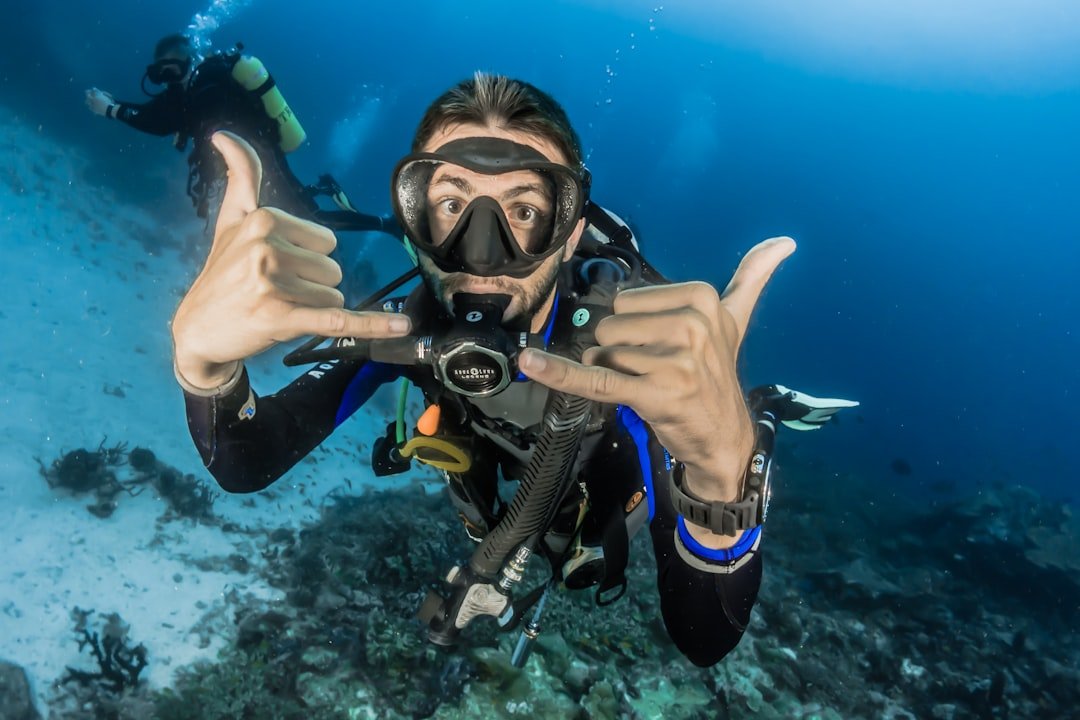
You finish a shallow reef dive, swap cylinders on the boat, and the next site is a little deeper. For most beginners, the answer in the dive computer vs dive tables choice is simple: use a basic dive computer for actual recreational diving, while learning dive tables well enough to plan conservatively and respond if the computer fails. A computer makes the second dive easier to track. Tables make the numbers behind the screen less mysterious.
A newly certified diver does not need every available mode or an air-integrated display to begin. A straightforward computer with a clear display and controls you can understand is often easier to use while learning. The useful choice depends on the diving you actually do: a larger display may help in low visibility or with thick gloves, while a compact model may suit warm-water travel. It reduces mental arithmetic underwater and follows the real profile you actually dive, rather than the square profile assumed by traditional tables.
That recommendation has a condition. You still need to understand the tables used in your training agency’s course and the dive-planning principles behind them. A computer is an aid, not permission to push depth, time, ascent rate, or repetitive-dive limits. Your instructor’s procedures, the dive plan, local conditions, and your own gas supply still matter.
Dive computer vs dive tables at a glance
A dive table is a printed planning tool. You choose a planned depth and bottom time, then use the table to find a no-decompression limit or a pressure group, depending on the system. For a repetitive dive, you use the surface interval and residual nitrogen information to calculate how much time is available on the next dive.
A dive computer tracks depth and time throughout the dive. It uses an algorithm to estimate nitrogen loading based on the profile it records. Most recreational models display current depth, maximum depth, elapsed dive time, no-decompression time remaining, ascent-rate warnings, and a safety-stop timer. Some also show cylinder pressure through a hose or wireless transmitter, but that is optional rather than essential for a beginner.
The major practical difference is profile tracking. Tables are generally planned around the deepest depth for the entire dive. If you descend briefly to 18 metres or 60 feet, then spend most of the dive shallower, the table still bases the plan on that deepest depth. A computer gives credit for the shallower part of the profile because it records the changing depth minute by minute.
That does not mean a computer always gives you more usable time. Different computer algorithms and conservatism settings can show different no-decompression times on the same dive. A computer may also become more conservative after repetitive dives, cold-water exposure, a rapid ascent, or an unusual profile. Treat its display as the limit for that computer, on that day.
Why a dive computer is the better beginner choice
Beginners already have a lot to manage underwater. Buoyancy, breathing rate, finning, equalization, buddy position, navigation cues, cylinder pressure, and the basic rhythm of a dive all compete for attention. Looking at one readable screen is easier than trying to reconstruct a multi-level profile afterward and calculate it with a booklet.
The computer also gives timely information. You can see your remaining no-decompression time while you are still underwater. You can notice that a deeper section of the reef has shortened that number. You can turn shallower early, follow the planned route, or end the dive with a larger margin. Tables are excellent for planning, but they cannot update themselves during the dive.
Real dives rarely stay perfectly square. You might drop to the sand for a few minutes, move up a slope, then spend the final part of the dive in the shallows. A computer records that ordinary shape. This is especially useful on guided boat trips with varied terrain, where the depth you planned from the briefing may not match every part of the route.
A basic computer also creates a log of what happened. Reviewing maximum depth, dive duration, water temperature, surface interval, and ascent information can help a new diver connect the plan with the actual dive. The log is not a substitute for writing down conditions, weighting changes, or lessons learned, but it is useful context.
When you dive with a buddy or group using computers, having your own unit helps you follow your own exposure. You should not share one computer between two divers. Even if you stay together, small depth differences and different prior dives can produce different readings. Each diver needs a way to monitor their own dive.
Where dive tables still win
Dive tables win in the classroom and during early planning because they force you to see the structure of a dive. You choose a depth. You set a time. You account for the surface interval. You learn why a repetitive dive needs different planning than the first one. That foundation makes it easier to recognize when a computer display calls for a more conservative choice.
They are also a useful backup skill. A dead battery, flooded housing, accidental mode setting, damaged screen, or computer left at home should not leave a diver unable to understand basic no-decompression planning. Your certified instructor can teach the procedure required by your training system, including what to do if a computer fails during a dive. Do not invent a recovery plan underwater based on a vague memory of a table course.
Tables can be the better tool for a simple, controlled training exercise. If the plan is one conservative, level dive at a known depth with a clear maximum time, a table makes the limits visible before anyone enters the water. That is useful teaching. It also makes a good paper record for remote trips where electronics are harder to service.
They may suit divers who make infrequent, shallow dives and already own no computer, but only if their training and local operator procedures support that approach. In practical terms, rental or purchase access to a basic computer usually makes more sense than relying on tables alone. Computer rules vary widely by country, operator, trip type, and even the specific site: some operators provide or require computers, while others allow table-based planning for appropriate dives. Confirm the policy for your location and booking before the trip.
Tables are less convenient when dives are multi-level, repetitive, deeper, cold, or loosely timed. They are deliberately conservative because they simplify a changing body and changing profile into manageable planning categories. That simplicity is the point. It is also their limitation.
What tables teach that a screen cannot
A computer tells you an answer. Tables show the process. That difference matters when you are building judgment.
Using tables teaches that the depth limit is not a target. If a table allows a certain time at a given depth, planning right up to that number leaves little room for delays, navigation errors, a slow ascent, or an interesting animal that makes the group linger. Conservative planning means choosing less time than the maximum and leaving enough gas to end the dive calmly.
They also make surface intervals feel real. On a screen, the countdown can become background information. On a table, you physically move from one pressure group to another and see that time on the surface changes the next dive. The same idea applies regardless of whether you dive on tables or a computer: repeated exposure changes the plan.
Most importantly, table work helps a beginner avoid blind faith in a device. A computer has settings, battery limits, and an algorithm. It does not know if you are tired, dehydrated, cold, anxious, fighting current, or using more gas than expected. It cannot check whether you and your buddy agreed on a turnaround pressure. It provides information; the dive team must use that information within the plan.
Using a computer well
Read the manual for your specific model before the first dive. Know how it starts a dive, how to check the battery or charge level, how it handles altitude settings, which gas setting is selected, and what each alarm means. If you use nitrox, confirm the gas mix and maximum operating depth settings with a qualified instructor or dive professional before the dive. A wrong gas setting can give misleading information.
During the briefing, note the planned maximum depth, planned route, turnaround gas pressure, and expected duration. Compare that plan with your computer during the dive. If the computer shows less no-decompression time than expected, use the lower limit and communicate with your buddy.
Check the display at natural points in the dive: after descent, before entering a deeper area, at the turn, and before ascent. Look at depth, time, no-decompression information, and gas status without losing awareness of your buddy and surroundings. Finish with a controlled ascent and a safety stop when conditions and the dive plan allow. If an alarm or display is unfamiliar, end the dive conservatively rather than troubleshooting complex menus underwater.
Set conservatism according to the manual and the guidance from your instructor or dive operator. More conservative settings may make sense for some conditions, but no generic setting fits every diver or site. Another diver’s longer no-decompression time is not a reason to change your settings: their algorithm, previous dive history, and configuration may differ.
Choosing your first computer
For a first recreational computer, focus on whether you can read and operate it in the conditions you expect to dive. Check the manual, display layout, battery arrangement, service availability, and whether the strap fits over the exposure protection you actually use. A large, high-contrast display can be easier to read in low light or with aging eyes; a compact watch-style unit can be more convenient for travel or warm-water diving. Neither format is universally better.
Battery arrangement is practical rather than a measure of dive quality. Rechargeable computers are convenient if you can charge them before a trip. User-replaceable batteries can help in remote locations, but the compartment and seal need careful handling. Factory-service battery systems may reduce user handling while being less convenient during travel. Follow the manufacturer’s instructions and inspect the seal carefully after any battery change.
Air integration can be useful, but it is not required for most new recreational divers. A standard submersible pressure gauge remains a direct, independent way to monitor gas supply. Do not choose a computer simply because it includes technical modes you are not trained to use. Gauge mode, multiple gas options, decompression features, and transmitter functions add settings to understand; select equipment that matches your training and expected diving, then get hands-on orientation before relying on it.
Planning a dive when everyone has computers
Computers do not remove the need for a plan. Before entering the water, agree on a maximum depth, the route or heading, a turnaround point, the lowest gas pressure that starts the return, and what happens if one diver reaches a limit first. The team follows the most conservative relevant limit. If one buddy has lower gas, less no-decompression time, is cold, or is simply uncomfortable, the pair turns the dive.
Do not compare only the big number labeled no-decompression time. Gas can end a dive well before nitrogen limits do. Current can change an easy exit into work. Visibility can make a planned navigation route unsuitable. A computer is excellent at calculating its portion of the problem, but the team still needs to assess the whole dive.
If you dive different computers in the same pair, that is normal. Do not expect matching values. Agree ahead of time that the diver with the more conservative reading determines the profile. If you are taking a course, follow the procedures taught by your instructor even if your personal device appears to permit more time.
What to do if the computer fails
A computer failure is a training issue before it is an equipment issue. The exact response depends on when it fails, the dive profile, the agency procedures you learned, local conditions, and whether you have reliable backup information. Discuss the scenario with a certified instructor before it happens.
In broad terms, a failed computer during a dive calls for ending the dive safely and conservatively with your buddy, rather than continuing as though nothing changed. Do not switch to your buddy’s computer as if it represents your own prior exposure. Afterward, use the conservative procedures from your training before making another repetitive dive.
Keep the plan, required depth and time instruments, and battery or charge status in mind before the dive begins. For travel diving, check battery or charge status before leaving the accommodation, not on the boat when the first briefing begins.
FAQ
Should beginners learn dive tables if they will use a computer?
Yes. Learn the tables required by your certification course and understand what they are teaching. You may use a computer on most recreational dives afterward, but table knowledge builds planning skills and gives you a better sense of why conservative limits exist.
Can two divers share one dive computer?
No. Each diver should have their own computer or follow the instrument requirements established in their training and dive plan. Two divers can have different depth profiles and prior exposures even while swimming together, so one display cannot accurately track both divers.
Is a dive computer safer than dive tables?
A computer is usually more practical for real multi-level recreational dives because it tracks the profile as it happens. It is not automatically safer if the diver ignores alarms, enters the wrong settings, exceeds training limits, or treats the no-decompression display as a target. Safe diving still depends on training, conservative decisions, gas management, and conditions.
Do I need air integration on my first computer?
No. A basic computer paired with a standard pressure gauge is enough for most new recreational divers. Air integration can be convenient, but it costs more and adds another system to understand. Spend first on a clear display, dependable operation, and training time.
Can I use tables as a backup for any computer dive?
Not automatically. Tables may not reflect the full multi-level profile recorded by the computer, and different tables use different procedures. Learn a specific failure plan from a certified instructor and apply the conservative rules taught by your agency rather than improvising after a problem. If you do not have a trained and appropriate backup plan for that dive, end the dive and avoid further repetitive exposure until you can plan it properly.
For the common beginner, buy or rent a simple computer and use it on every dive you are trained to make. Keep practicing the planning skills behind the tables. That combination gives you useful real-time information without turning the screen into a substitute for judgment.
Related posts
This article is for general informational purposes only and is not dive training or medical advice. Always train with a certified instructor and consult a doctor before diving if you have any health concerns. Gear specs, pricing, site conditions, and operator schedules change, so verify current details directly with the manufacturer or dive operator.
Disclosure: This post may contain affiliate links. If you click through and make a purchase, we may earn a commission at no extra cost to you. We only recommend gear we’ve researched or genuinely believe in.