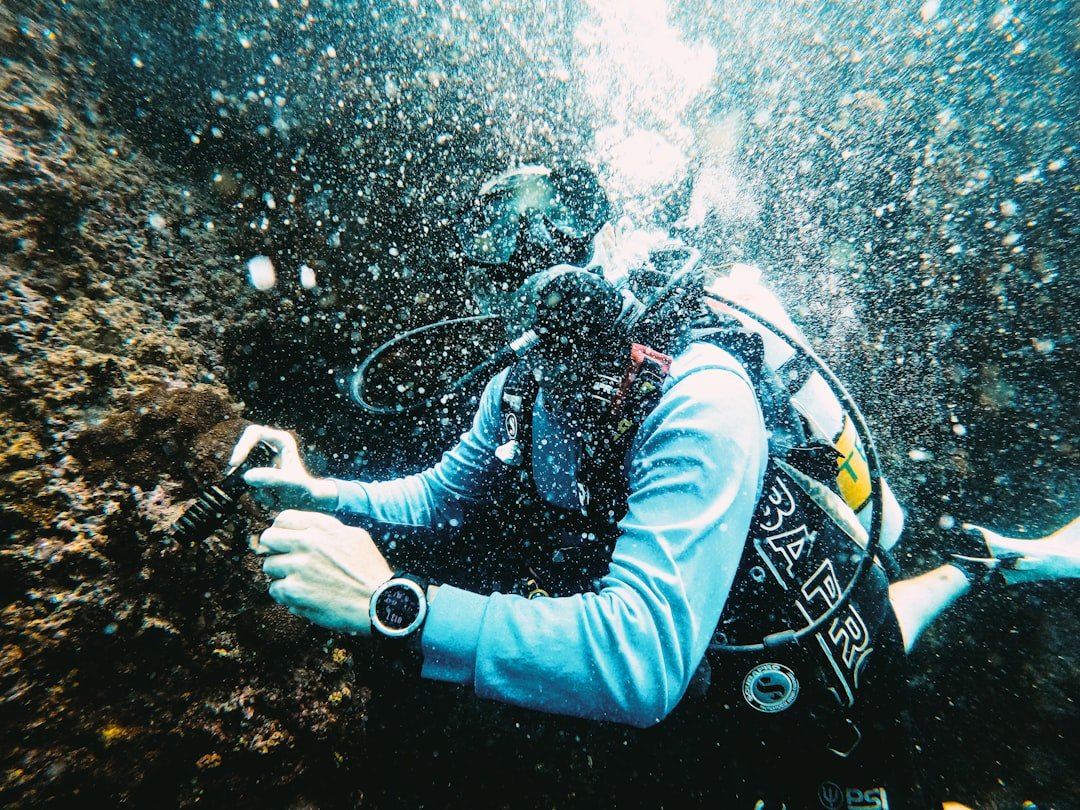
Before comparing prices, ask your instructor or dive buddy what computer they use and whether they can show you its menus underwater. The best dive computer for beginners is the one you can read without stopping to decode it, and the best dive computer for beginners should feel familiar before your first independent trip. A low price matters, but a confusing display can turn a useful safety tool into something you ignore.
For most newly certified recreational divers, a simple wrist computer with air and nitrox modes is the sensible purchase. It should show depth, no-decompression time, ascent information, safety-stop guidance, and a clear warning when you are ascending too quickly. That covers a lot of diving. You do not need air integration, a color screen, Bluetooth logging, compass navigation, or technical gas capability to enjoy local shore dives, holiday reef trips, or guided boat diving.
Budget-friendly computers have real compromises. Their screens are usually smaller, their buttons can feel basic with thick gloves, and a sealed rechargeable battery may be less convenient on a remote trip than a user-replaceable coin cell. Those trade-offs are fine when they match your diving. Trouble starts when a diver buys the cheapest option without checking whether they can actually read the numbers in low visibility or understand the alarms.
What the best dive computer for beginners needs
Start with readability. Look at the main dive screen, not the product photo. Depth and remaining no-decompression time should be large enough to scan quickly. The ascent-rate indicator and safety-stop information need to be obvious too. Backlighting helps on dusk dives, wrecks, and dark temperate water, though it uses battery power. A color screen looks nice in a shop, but high-contrast black-and-white screens can be easier to read in bright tropical water.
One or two buttons are usually enough for a first computer. Fewer buttons mean less menu hunting, which matters when you are wearing gloves or waiting to enter the water. Check how the computer confirms a setting. You do not want to accidentally change the gas mix, conservatism level, or unit system while packing for a dive.
Air and nitrox capability is the practical baseline. Most entry-level models allow a single nitrox mix, often up to a commonly used recreational limit such as 40 percent oxygen. Verify the current manual for the exact limit. Even if you only dive air now, nitrox support gives you room for a future course and resort trip. Set the mix correctly every time, confirm it against the cylinder analysis, and follow the procedures taught in your nitrox training. A computer cannot verify what gas is actually in the tank.
A clear audible alarm is useful, but do not rely on sound alone. Hoods, boat engines, and your own task loading can make alarms easy to miss. Visual warnings should be easy to spot. Vibration alerts are helpful on some models, but they are not essential for a basic recreational computer.
Also check the logbook. A computer that stores dives and transfers them to a phone can make it easier to track exposure, spot equipment notes, and keep trip records. That said, Bluetooth is a convenience, not a reason to compromise on screen clarity. Apps change, phone compatibility changes, and some divers are perfectly happy recording key details in a paper logbook.
Choose the shape before the brand
Wrist computers are the default recommendation for most beginners. You wear one every dive, including rental-gear dives, and you do not need to move it between regulators. Watch-style models are compact and comfortable for travel, although their displays can be small. Larger puck-style wrist computers tend to have bigger digits and a lower purchase price.
Console computers attach to the regulator high-pressure hose. They can be very readable and are hard to leave behind because they travel with the regulator. The drawback is that you may not have your computer on your wrist if you rent a different regulator, and you need to manage another dangling item. A console also puts the display farther from your normal line of sight.
For a first purchase, avoid treating an air-integrated transmitter as mandatory. Air integration sends cylinder-pressure information to the computer. It can estimate remaining gas time and reduce the need to check a separate pressure gauge, but it raises the initial cost and adds a battery-powered component that needs care. Many experienced recreational divers still prefer a simple computer and analog submersible pressure gauge. If a transmitter is in your budget, keep the analog gauge as a backup unless your training and equipment configuration support a different approach.
Budget-friendly options worth researching
The entry-level market changes often, so check current availability, manuals, warranty terms, and local pricing before buying. Prices vary by region. The models below are useful starting points because they are widely discussed as simple recreational computers, not because one is automatically right for every diver.
Cressi Leonardo
The Cressi Leonardo is commonly shortlisted by new divers who want a large, uncomplicated screen and a straightforward button layout. Its appeal is simplicity. It focuses on core air and nitrox dive information rather than advanced navigation or transmitter support. Research the current version carefully, especially battery access, included accessories, computer interface compatibility, and whether a protective cover or download cable is sold separately in your market.
This type of computer makes sense for a diver who wants a dedicated tool for standard no-decompression dives and does not expect to use multiple gases or air integration soon. The large puck format may feel bulky as an everyday watch, but that same size can make the digits easier to read underwater.
Suunto Zoop Novo
The Suunto Zoop Novo has long been a familiar rental-center and beginner-course option, so many divers find its format easy to recognize. It is a full-size wrist computer with recreational modes and a prominent display. Before purchase, compare the current model’s battery replacement process, planned service support where you live, and its downloadable log options. Those practical details matter more than a menu feature you may never use.
Suunto’s decompression model can feel more conservative than another brand’s on the same profile. That does not mean either computer is broken. Different algorithms and settings can produce different no-decompression information. Do not swap computers during a dive trip or try to force your profile to match a buddy’s display. Follow your own computer, stay with your buddy within the more conservative plan, and ask a certified instructor if you are unsure how to interpret the settings.
Mares Puck Pro+ and similar puck models
The Mares Puck Pro+ is another model often researched in the value category. Puck computers usually put the money into a large display rather than a watch-like case or advanced connectivity. That can be a good deal for cold-water divers, divers with aging eyes, or anyone who wants numbers that are easy to find at a glance. The compromise is a larger unit on the wrist and menu navigation that may require button presses rather than quick touchscreen-style interaction.
Check whether the exact model on sale has the gas settings, backlight behavior, battery system, and log-transfer method you want. Retail listings sometimes group older and newer versions together. The manufacturer manual is the better source for what the computer actually does.
Aqua Lung i330R and rechargeable alternatives
The Aqua Lung i330R is often considered by divers who want a larger color display and rechargeable battery without moving into premium pricing. A rechargeable design can be convenient if you charge it before a weekend away. It also needs a little discipline. Check charge level before travel, bring the correct cable, and avoid leaving it flat for long storage periods if the manufacturer advises against it.
Rechargeable computers can be a strong choice for frequent local diving. For remote travel, some divers prefer a user-replaceable battery because a fresh battery can be packed easily. Neither system is universally better. Think about the trips you actually take, not the expedition you imagine taking someday.
Shearwater Peregrine as a stretch option
The Shearwater Peregrine usually sits above entry-level budget territory, but it appears in many upgrade comparisons because of its large color display and expansion room. It may suit a beginner who already knows they want a highly readable screen and plans to dive often. It is harder to justify when the extra spend would prevent you from buying exposure protection that fits, a reliable mask, or additional supervised practice dives.
A higher-priced computer does not make a diver safer by itself. Good buoyancy, gas planning, buddy awareness, and conservative choices still matter. Buy advanced functions when you have training and a real use for them.
Do not buy features you cannot use yet
Technical modes, multiple gas switches, closed-circuit rebreather settings, and trimix support are not beginner requirements. They can add menu complexity and cost. If your future plans include technical training, it may be economical to buy a computer that can grow with you, but only if its basic recreational screen remains clear and the price does not strain your dive budget.
An electronic compass is useful for divers who navigate regularly, yet it should not replace learning natural navigation and using a compass correctly in training. The same applies to air integration. It adds information, but it does not replace checking your gas, planning a turn pressure, or communicating with a buddy.
Watch-style computers can track steps, sleep, or surface activities. Those functions are pleasant extras. For scuba purchase decisions, prioritize the underwater display, button operation, depth rating, battery plan, and access to manufacturer support.
Compare the costs after the checkout page
The sticker price is only part of the cost. Ask whether the computer uses a user-replaceable battery, whether a local service center handles battery changes, and what an out-of-warranty replacement typically costs. Check if the unit includes a strap extender for wetsuits or drysuits. A computer that fits bare skin but will not wrap around your exposure suit is a bad bargain.
Look at warranty coverage in your own country. A grey-market deal may have limited support. Also inspect the availability of straps, screen protectors, charging cables, battery kits, and download accessories. Consumable parts are easy to overlook until a strap tears before a trip.
Used computers can save money, but buy carefully. Confirm the model is not discontinued beyond practical service support, inspect the screen and buttons, ask when the battery was changed, and request the manual. Resetting a used computer does not prove its history. If there is any doubt about flooding, damage, or reliable operation, walk away. A new basic computer with a valid warranty is often the calmer choice for a new diver.
Set it up with an instructor
Read the manual before the first dive, then set the date, time, units, and gas mix. Check the conservatism settings with a certified instructor rather than changing them because an online comment says a setting is better. Manufacturers use different names and approaches. A more conservative setting can shorten allowable no-decompression time, but it does not make risky choices safe or compensate for illness, fatigue, dehydration, poor thermal protection, or a rushed ascent.
Practice finding depth, no-decompression time, maximum depth, and ascent indicators while dry. During your first few dives, compare the display with your planned depth and time at calm moments. Do not wait for an alarm to learn what a symbol means. If you have a medical condition, take medication, are pregnant, or have questions about pressure exposure, speak with a diving doctor before diving. For skills and computer use, work with a certified instructor.
The practical winner is usually a basic, readable wrist computer from a manufacturer with support in your area. Spend enough to get a screen you can see and a battery system you can manage. Save the rest for training, well-fitting equipment, and dives where you can build calm, repeatable habits.
Related posts
This article is for general informational purposes only and is not dive training or medical advice. Always train with a certified instructor and consult a doctor before diving if you have any health concerns. Gear specs, pricing, site conditions, and operator schedules change, so verify current details directly with the manufacturer or dive operator.
Disclosure: This post may contain affiliate links. If you click through and make a purchase, we may earn a commission at no extra cost to you. We only recommend gear we’ve researched or genuinely believe in.